
VOCAL LABS
Eight vocal modules, two racks, no separate plugins to manage.
Overview
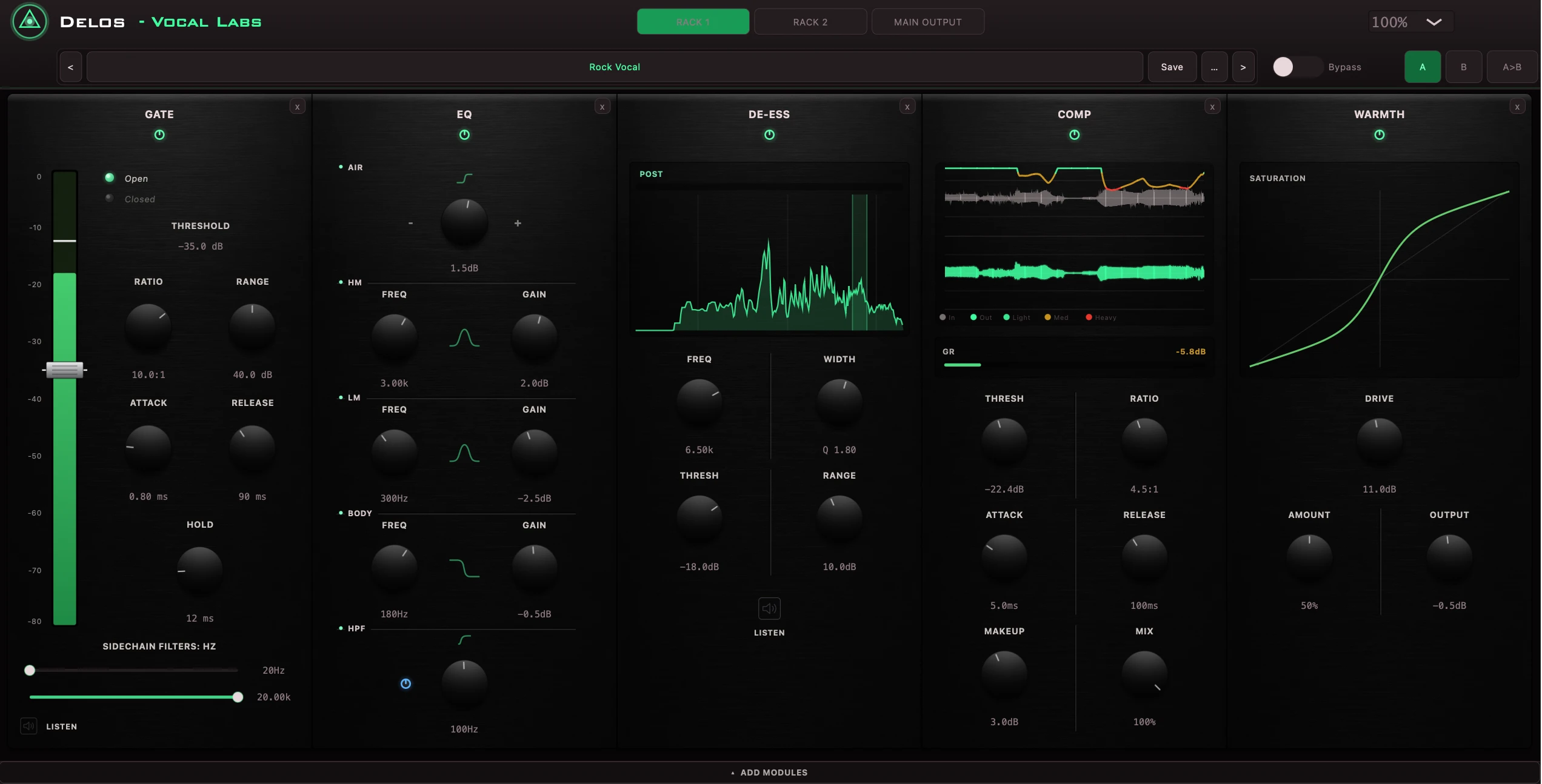
VOCAL LABS is a modular vocal channel strip built around two independent five-module racks and a shared output stage, rather than one fixed signal chain. Gate, EQ, De-Ess, Comp, Warmth, Bitcrusher, Reverb and Delay are available as separate modules — drag only the ones a given vocal needs into either rack, in whatever order the chain calls for, instead of managing eight separate plugin instances.
Gate is a stereo-linked downward expander with its own sidechain key filters. EQ covers five bands — HP, Low Shelf, two sweepable Bells and High Shelf — sized for channel-strip work rather than corrective surgery. De-Ess drives its detector from a band-passed copy of the input, so reduction stays confined to the sibilant range instead of ducking the whole signal. Comp is a single feed-forward VCA circuit with a split waveform display. Warmth applies symmetric tanh saturation blended by amount, and Bitcrusher — the one module built to make a vocal sound worse on purpose — combines bit-depth crush, sample-and-hold downsampling and a narrowing band-pass for lo-fi character presets.
Reverb runs true stereo convolution from 19 curated impulse responses across Plate, Chamber, Room, Hall, Ambience and Space categories, rather than an algorithmic model. Delay runs tempo-synced or free-running, with tap tempo, ping-pong cross-feed and a damped feedback path that darkens with every repeat. A final Main Output stage — vintage VU meter and trim gain — sits after both racks, ahead of the host's own fader.
Twenty genre-built factory presets configure a complete chain, not just one module, and the whole rack — every module, every setting — saves and recalls as a single user preset. VOCAL LABS also runs as a standalone application, independent of a DAW, for processing a vocal chain live through an audio interface rather than only inside a session.
Key features
- Two independent five-module racks plus a final Main Output stage
- Eight modules: Gate, EQ, De-Ess, Comp, Warmth, Bitcrusher, Reverb and Delay
- True stereo convolution reverb — 19 curated spaces across six categories
- Tempo-synced delay with tap tempo and ping-pong cross-feed
- 20 genre-built factory presets, plus whole-chain user preset save/recall
- Standalone application for DAW-free, live vocal processing
- Vintage VU metering and final trim gain at the output stage
Formats
Stereo signal path throughout · Host-negotiated stereo bus configuration · AU · VST3 · Standalone · Unity · macOS (Apple Silicon and Intel) and Windows
Technical
- Stereo signal path throughout
- Host-negotiated stereo bus configuration
- AU · VST3 · Standalone · Unity
- macOS (Apple Silicon and Intel) and Windows
Interface & workflow
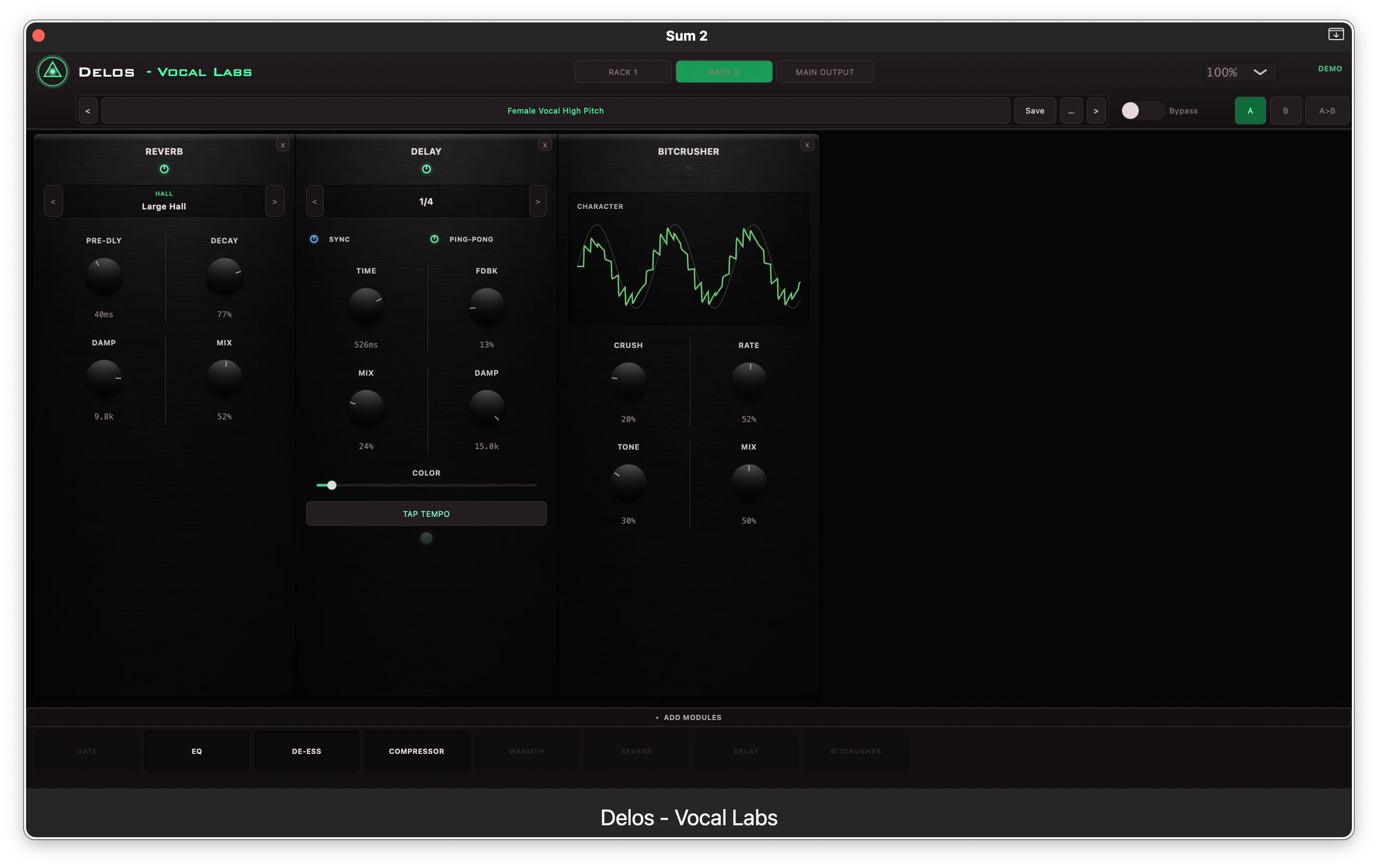
Two racks, eight modules, any order
Drag Gate, EQ, De-Ess, Comp, Warmth, Bitcrusher, Reverb and Delay into either rack, in whatever sequence the chain calls for.
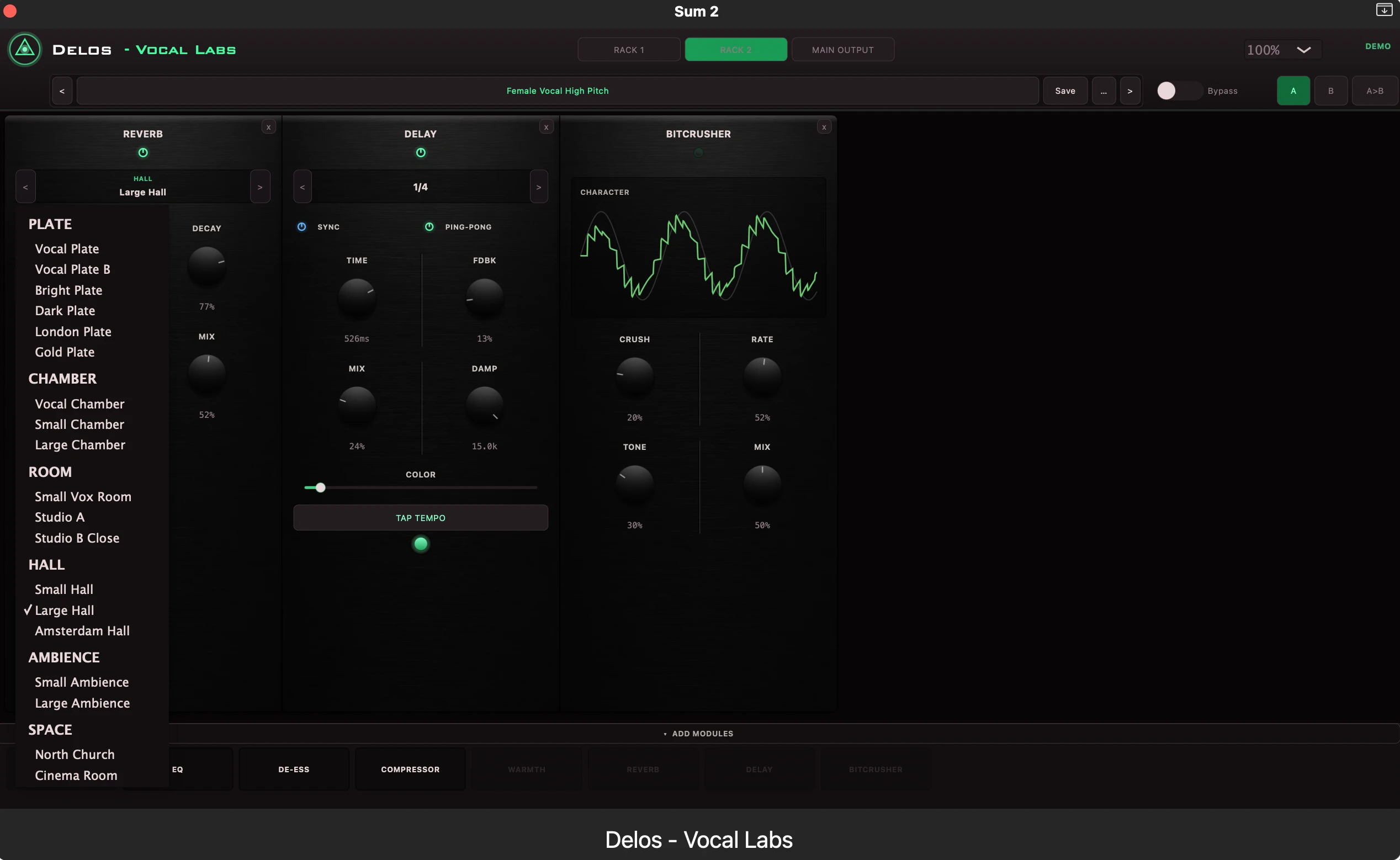
19 curated reverb spaces
True stereo convolution from real impulse responses across Plate, Chamber, Room, Hall, Ambience and Space categories.
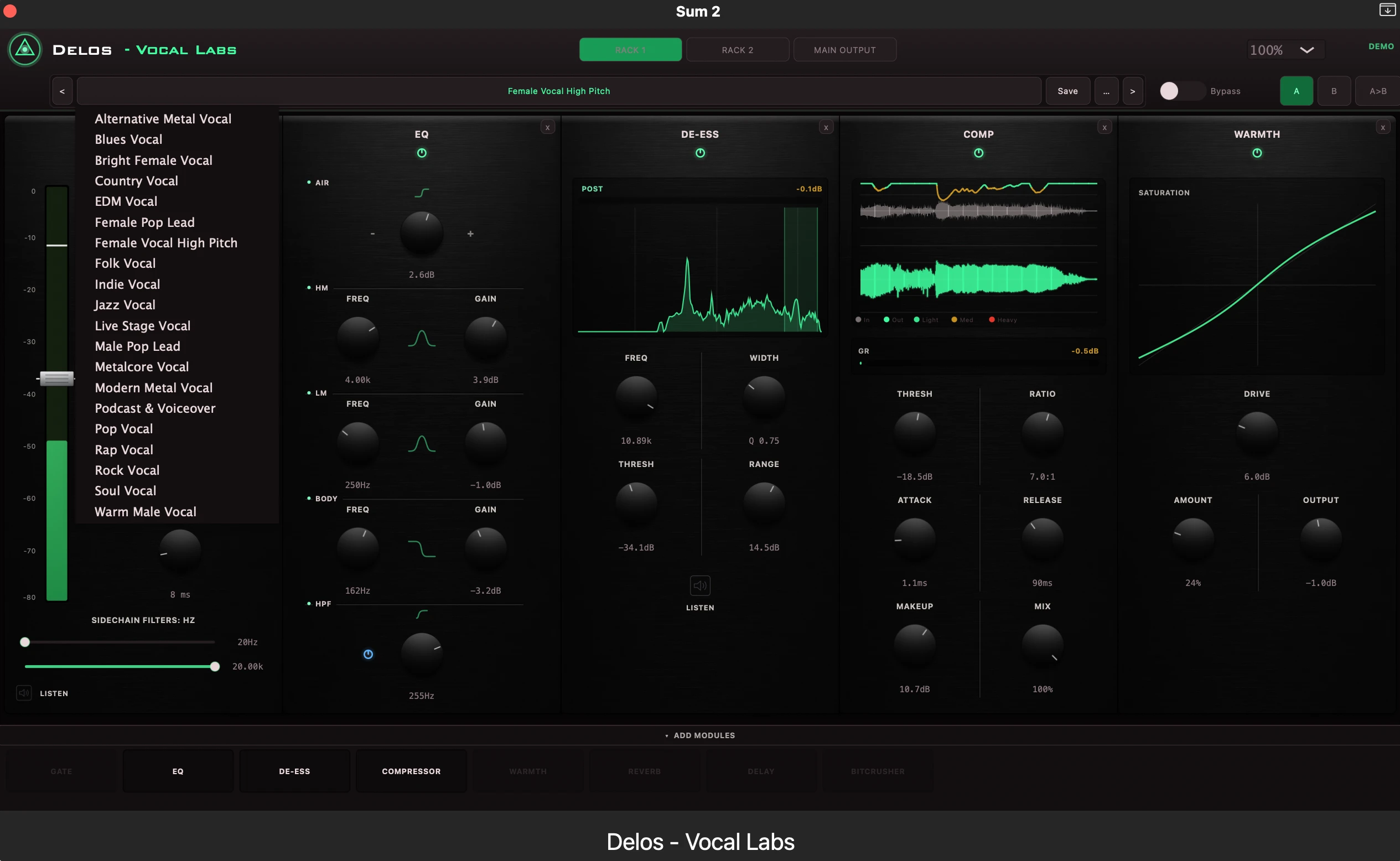
20 genre-built factory presets
Metalcore Vocal, Podcast & Voiceover, Jazz Vocal and more configure a complete chain, not just one module.
Plugin walkthrough
VOCAL LABS walkthrough — female vocal
Building a chain across both racks and hearing every module engage on a female vocal, in a real session.
Male vocal
The same chain concept on a male vocal
A second full pass through both racks, showing how the same eight modules adapt to a different voice.
The eight modules
Gate
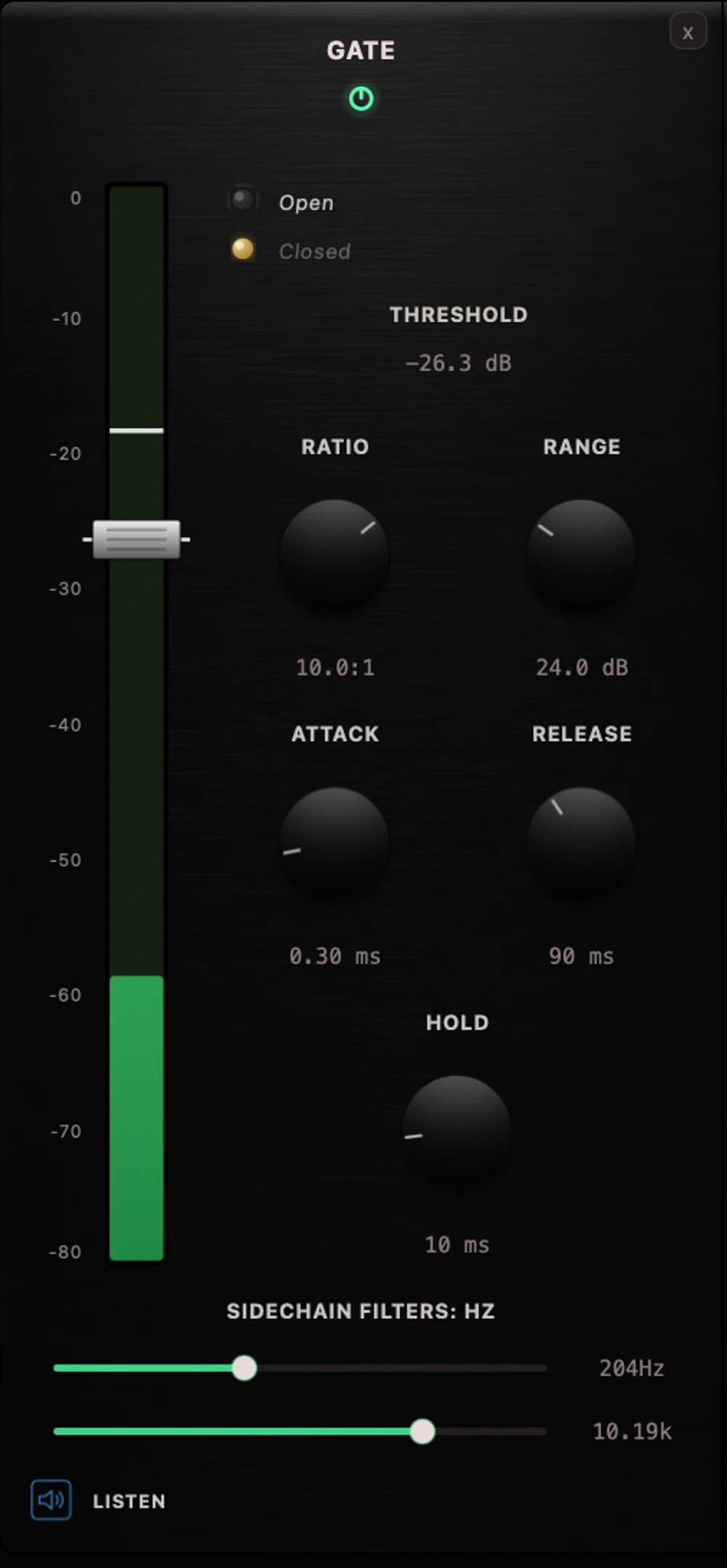
Stereo-linked downward expander with its own sidechain key filters, so low-end rumble or hi-hat bleed never trips the gate.
Release status
Pre-release · Final testing
VOCAL LABS remains under active development, but it's free to use — register once with a name and email for permanent activation, no trial or serial key required. Engine optimization, balancing and workflow refinements, plus new modules and interface pages, are planned across upcoming versions.
Anyone who registers and downloads an available DELOS build before 5 October 2026 will receive one additional DELOS plugin at no charge when the release catalogue becomes available. Eligibility is linked to the registration email address.
DOWNLOAD ACCESS
Get the free version
Register once with your name and email and select your platform. No payment information is required for this version.
This registration also creates an entry in your Account dashboard, where you can come back anytime and redownload the same build without filling this form again.